• Home
  • Project
    Introduction
    • Introduction
    • Background and Motivation
    • What is a Good Timetable?
    • Project Aims and Scope
  • Graph Data
    Model
    • Graph vs Relational Data Models
    • Graph Data Model for Timetabling
    • Early Insights
    • Model Expansion
    • Graphing Time
  • Data
    Pipeline
    • ETL Overview
    • Approach
    • Configuration and Logging
    • Extract
    • Transform
    • Google Drive Load
    • Neo4j Load
    • Reflection
  • Timetable
    Metrics
    • Timetable Metrics
    • Metric Aggregations
    • Implementing Metrics
    • TQI Summary
  • Final
    Thoughts
  • Appendices
    & Extras
    • Appendix Table of Contents
    • References
    • Acknowledgements
  • Word
  1. Data Pipeline
  2. Google Drive Load
  • Home
  • Project Introduction
    • Introduction
    • Background and Motivation
    • What is a Good Timetable?
    • Project Aims and Scope
  • Graph Data Model
    • Graph vs Relational Data Models
    • Graph Data Model for Timetabling
    • Early Insights
    • Model Expansion
    • Graphing Time
  • Data Pipeline
    • ETL Overview
    • Approach
    • Configuration and Logging
    • Extract
    • Transform
    • Google Drive Load
    • Neo4j Load
    • Reflection
  • Timetable Metrics
    • Timetable Metrics
    • Metric Aggregations
    • Implementing Metrics
    • TQI Summary
  • Final Thoughts
  • Appendices
    • Random Graph Generator
    • Technology Stack
    • Configuration
    • Anonymisation
    • ETL Summary and Code
      • ETL Summary
      • ETL Code
      • Config and Misc
      • Extract-SQL
      • Extract
      • Google Drive Load
      • Transform
      • Neo4j Load
    • Neo4j & Cypher Code
      • Cypher Queries
      • Creating Nodes and Relationships
      • Deleting Nodes and Relationships
      • General Queries
      • Count Queries
      • Hard (timetabling) Constraints
      • Student Clashes
      • Soft Constraints
      • Rooms and Spaces
      • Perspectives
      • Blue Skies Opportunities
  • Supervision
    • Supervision
    • Notes Example 1
    • Notes Example 2
    • Notes Example 3
  • References
  • Acknowledgements
  1. Data Pipeline
  2. Google Drive Load

Google Load

The free cloud instance of Neo4j (Aura) requires that csv files are stored in public cloud storage like Google Drive or Dropbox.

Therefore, my project requires an intermediary step.

google_drive_storage source_files Local Files (./{hostkeys}/process) gdrive_api Google Drive API source_files->gdrive_api Connect via API get_folder Get Folder Details gdrive_api->get_folder create_folder Create Folder if Needed get_folder->create_folder upload_nodes Upload Files Matching Node Pattern to './{hostkeys}/node' create_folder->upload_nodes upload_relationships Upload Files Matching Relationship Pattern to './{hostkeys}/relationships' create_folder->upload_relationships process_done Process Complete upload_nodes->process_done upload_relationships->process_done

File storage and directories are controlled via Config. I created a publicly shared folder in Google drive which contains all project csvs:

- root: Google Drive folder
  - hostkeys (automatically created, unless override) 
    - nodes
    - relationships
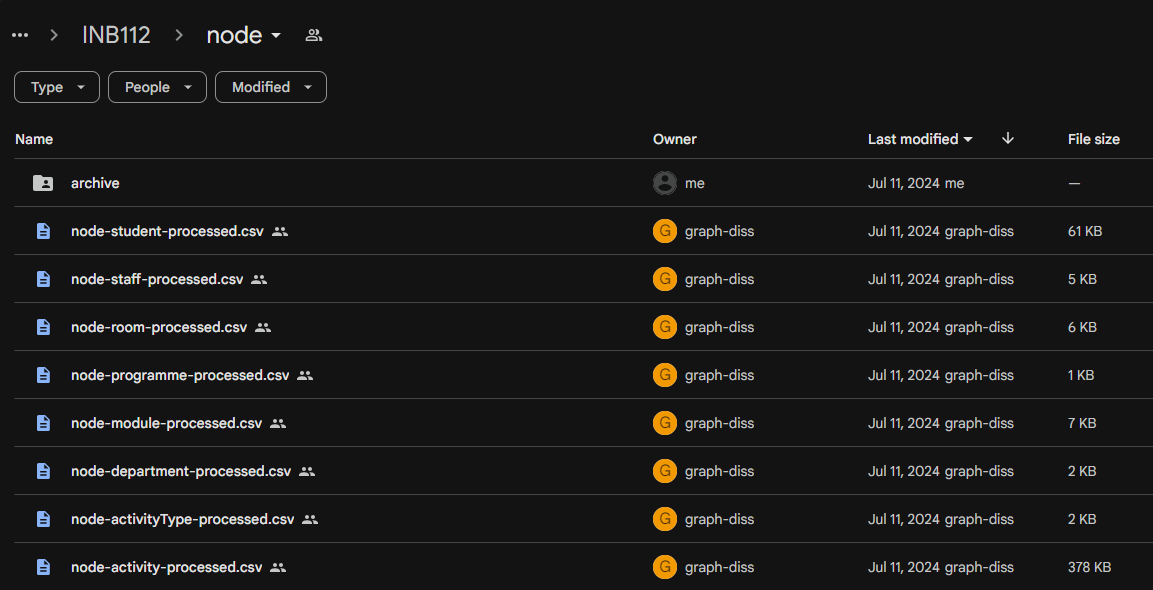
Screenshot of Google Drive folder and files for MSc Data Science (INB112): note that files were created by Google API
Transform
Neo4j Load

Copyright 2024, Petter Lövehagen


Built with Quarto